
Set up repeated tasks once
Build a scenario, choose the profiles and set when it runs. The results of every run are kept for each task.
Build actions in a visual editor
Go to pages, click elements, enter data and add waits. Conditions and loops give the scenario its logic. For logic of your own you can plug in a script.
Interface demonstration
- 01Open a pagenavigate
- 02Wait for an elementwait
- 03Click a buttonclick
- 04Save a valueextract
Run result
- Ads EU 01 — succeeded
- Ads EU 02 — succeeded
- Ads US 03 — stopped at step 03
The log and screenshots are kept for every run.
One scenario for the profiles you choose
Run a task on a folder of profiles. Variables give each profile its own values without a separate scenario for each.
Scheduled runs
Choose when it runs and set up retries if it fails.
Local tasks run while the computer and Vflin are running. Syncing a profile to the cloud does not, by itself, run a task on a server.
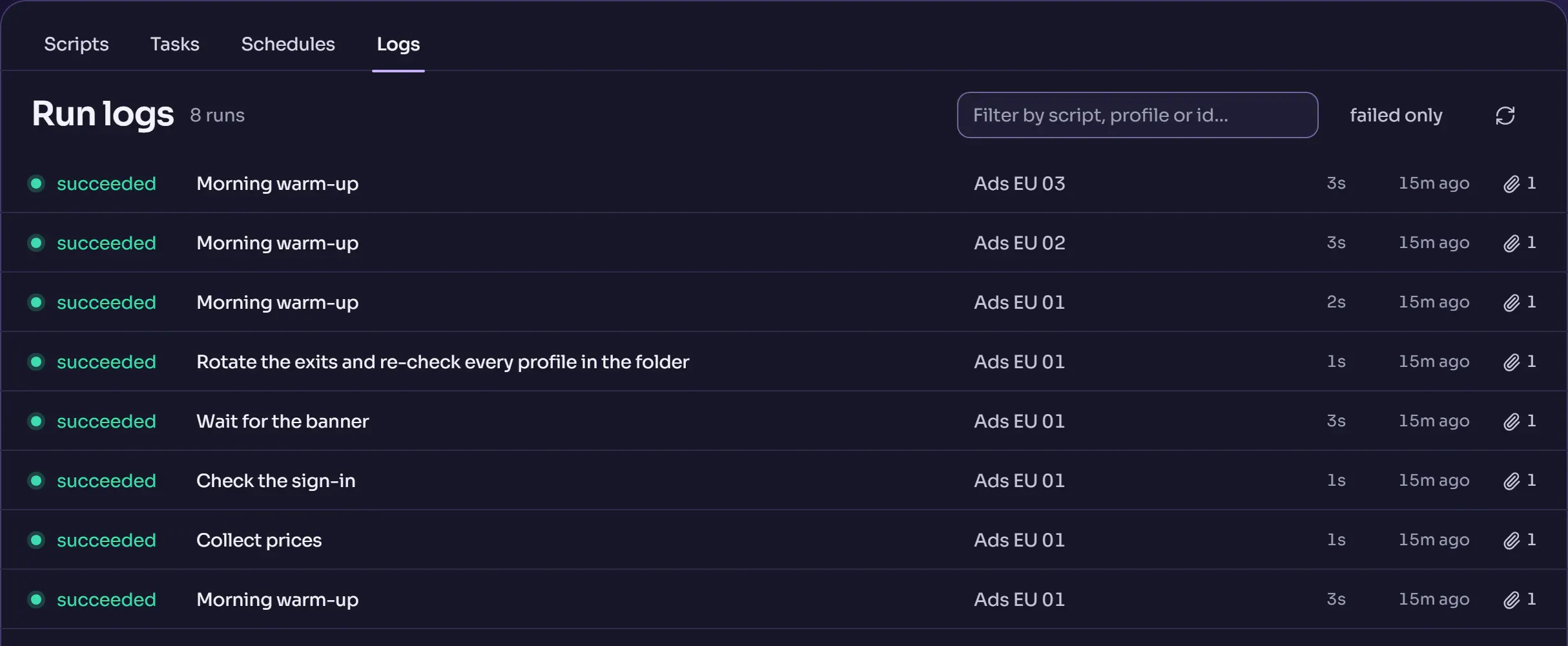
Check the result of every run
The log shows how a run went. If a task stopped, open the log and the screenshots to find the step that failed.
A scenario says up front what it may do
A scenario's rights are shown in the list before it runs. They are checked when it is saved and again before every scheduled run, so a scenario cannot quietly gain new rights while you are not looking.
The cookie robot
Before work, a profile walks a list of sites by itself in a visible tab. You set the sites, the time on each and how many profiles go at once.
Repeat actions in several windows
Choose a leading window and the profiles that should repeat its actions. The synchronizer suits identical operations that are easier to do by hand.
Plug in your own tools
Use the API, the CLI and MCP to manage profiles and tasks. The methods and connection examples are collected in the documentation.
Automation is available on Free.